Reference
States and glossary
Watch states in the Company Portal and a glossary of the key terms.
This page has two parts: the states a watch goes through and a glossary of key terms.
Watch states
Each watch moves through a series of states from the moment it enters the Portal until it is active with a user. Navigation and states are translated; a few headers and the green device-intake buttons stay in Spanish.
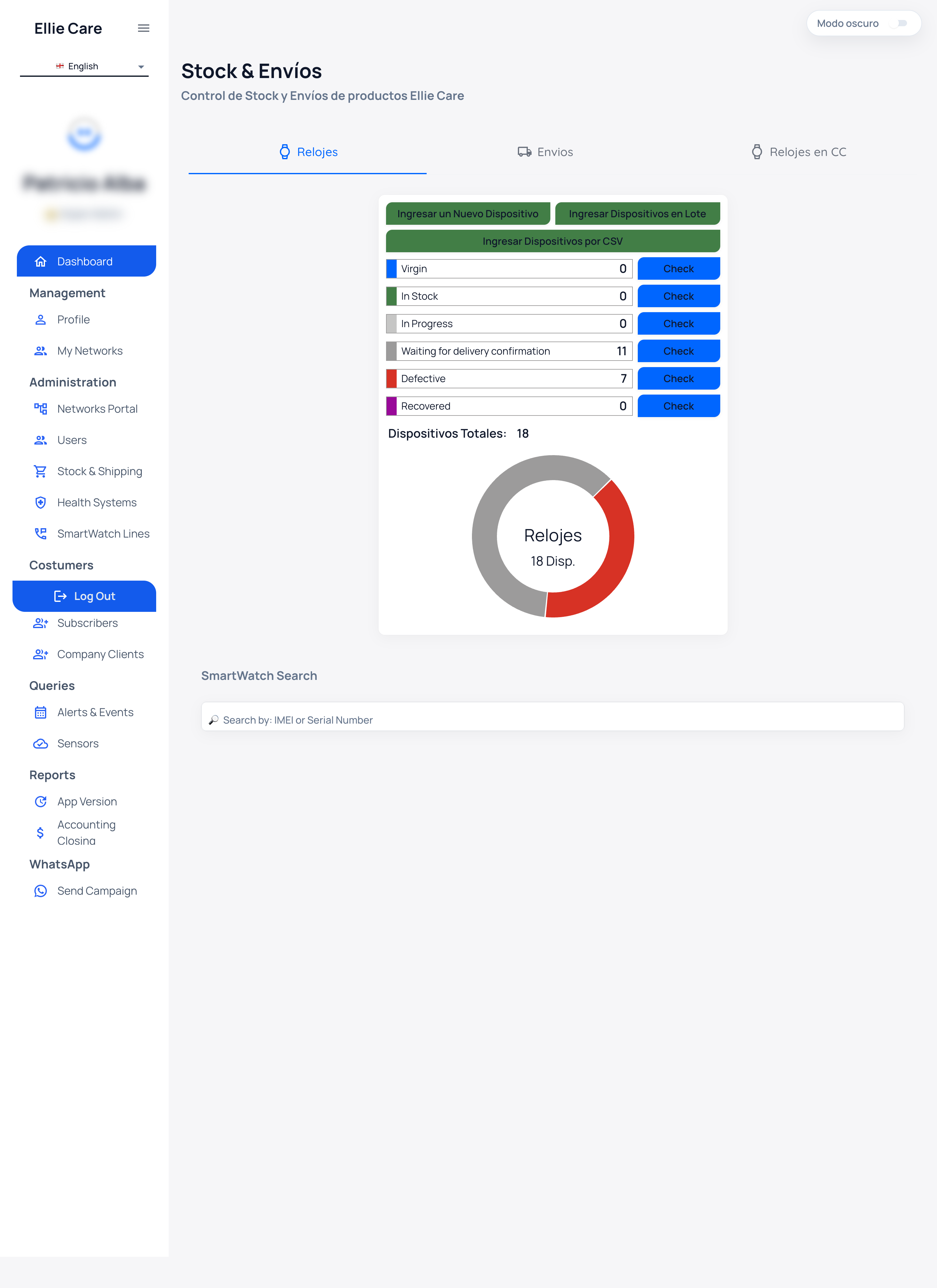
| State | Meaning |
|---|---|
| Virgin | Brand-new device, not yet configured. |
| In Stock | In stock. |
| In Progress | Being prepared. |
| Waiting for delivery confirmation | Inbound, awaiting confirmation. |
| Unassigned (Sin Asignar) | Registered, not yet linked. Split into Con Knox (prepared) and Sin Knox (not prepared). |
| Linked | Code generated and linked to a user. |
| With end user (active) | Code entered on the watch; active. |
| Unlinked | Released from a user. |
| Defective | Failed QA. |
🔤 The green device-intake buttons (for example Ingresar un Nuevo Dispositivo, "Add a new device") appear in Spanish even when the rest of the screen is translated.
➡️ Two important points:
- A newly registered watch starts at Sin Asignar / Sin Knox (Unassigned / not prepared). After preparation (Knox + line) it becomes Con Knox, ready to link.
- The watch reaches With end user (active) before you hand it to the user: it's delivered already linked and working.
Glossary
| Term | Definition |
|---|---|
| user | The person who wears the watch. |
| Company Portal | The product where your company manages its watch fleet. |
| the Portal assistant | The in-product helper that answers your questions. |
| Knox | The device-management setup applied when preparing a watch. |
| pairing code | The 3-letter code generated on linking and entered on the watch. |
| IMEI | The device's unique identifier. |
| Operator | The role that runs the fleet day to day: registers, prepares, links and follows up on states. |
| Super Administrator | The role that does everything the Operator does, plus managing users, networks and company settings. |
| Link (Vincular) | Associating a prepared watch with a user, which generates the code. |
| Unlink (Desvincular) | Releasing a watch from its user; it returns to Unassigned. |
| Stock & Envíos | The section where you follow up on watch states. |
| Líneas Telefónicas | The section where you register and manage the watches' lines. |
💡 To see how these terms are used step by step, see the Operator Guide or ask the Portal assistant.