Roles & permissions
Super Administrator Guide
The Super Administrator does everything the Operator does, plus managing users, networks and company-wide settings.
The Super Administrator can do everything the Operator does —register watches, register lines, prepare, link and generate the code, follow up on states— and also has broader management: users, networks and your company-wide settings.
💡 Both roles sign in to the same Company Portal, and both can run the linking flow.
Everything the Operator does
The day-to-day operation flow is identical to the Operator's. To register, prepare or link watches, follow the Operator Guide, which links each step:
User management
The Users screen lists the people who have access to your Company Portal.
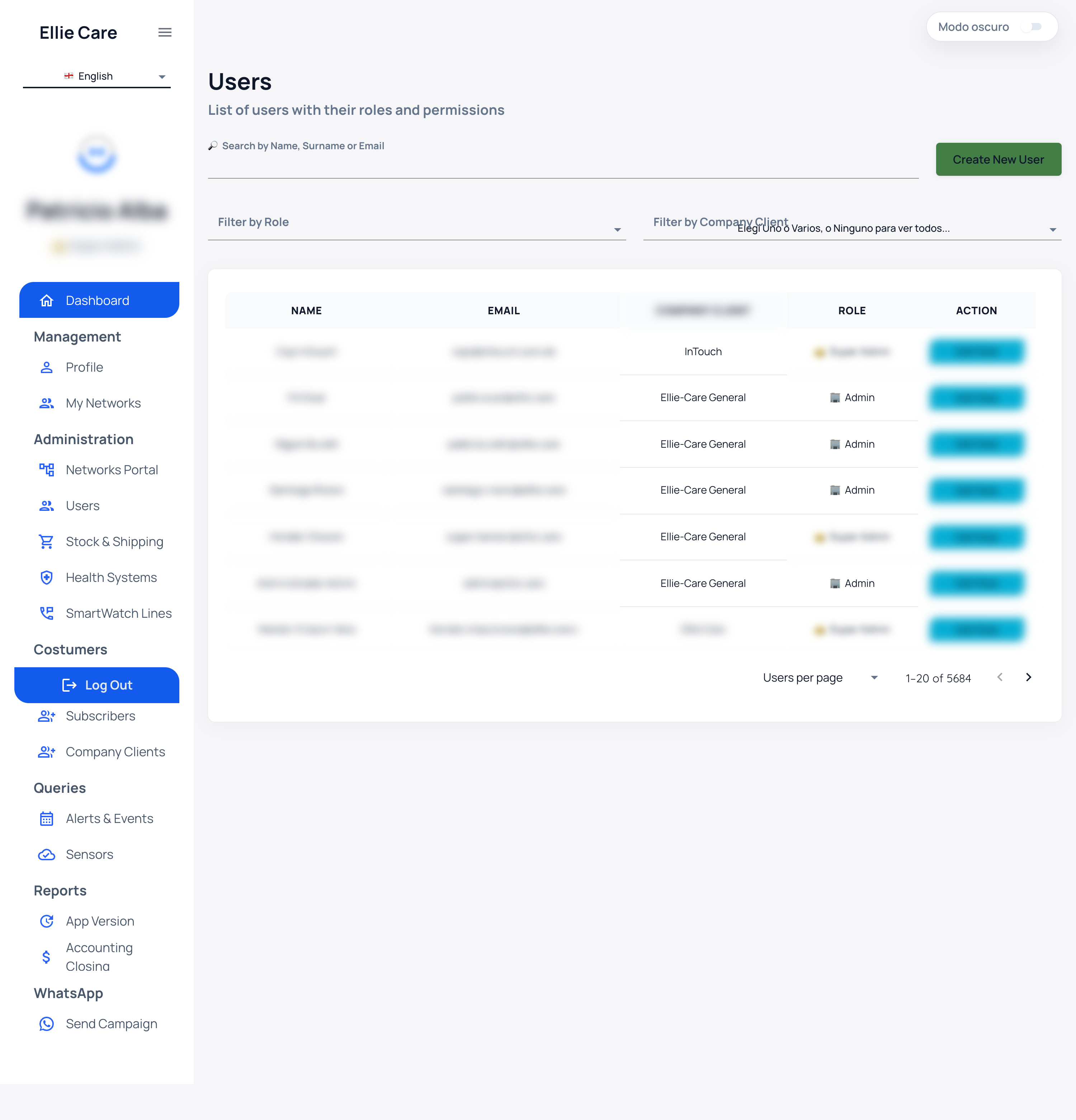
The list shows these columns:
| Column | What it shows |
|---|---|
| Name | The person's name. |
| Sign-in email. | |
| Role | Assigned role (Operator or Super Administrator). |
| Action | Available actions for that person. |
To find someone:
- Search by Name, Surname or Email.
- Filter by Role to narrow by role.
- Filter by Company Client to narrow the list.
To add someone, use the Create New User button, fill in their details and assign the appropriate role.
Networks
From Mis Redes / Portal de Redes you manage the networks associated with your company.
Company-wide settings
The Super Administrator has access to settings that affect your whole company. Adjust these carefully, as they impact the entire team's operation.
Remember
⚠️ Creating or editing users grants access to the Portal: assign each person the minimum role they need.
💡 Unsure about a state or term? See the States and glossary, the FAQ or the Portal assistant.