Architecture
Architecture — the big picture
What Ellie Care is, what the Company Portal is, and how a watch travels from arrival to working in the user's hands.
Before you touch a button, it helps to know where you are standing. This page is the full map; the rest of the Help Center is the step-by-step.
What Ellie Care is
Ellie Care is a remote-care platform. A Samsung smartwatch worn by the person being cared for (the user) captures signals and events — falls, panic button, off-body, battery, heart rate, location — and sends them to the platform. There they are processed and trigger alerts to the family, the support network, and the care team.
  Samsung watch  ──►  Ellie Care platform  ──►  Alerts to family / team
  (telemetry &         (processes & raises       (fall, panic, battery…)
   events)              the alerts)
As an operator, your job is to get the watch ready and working into the right user's hands. You don't handle clinical data: this documentation doesn't show it either, and any user data visible in screenshots is blurred.
The Company Portal is your tool
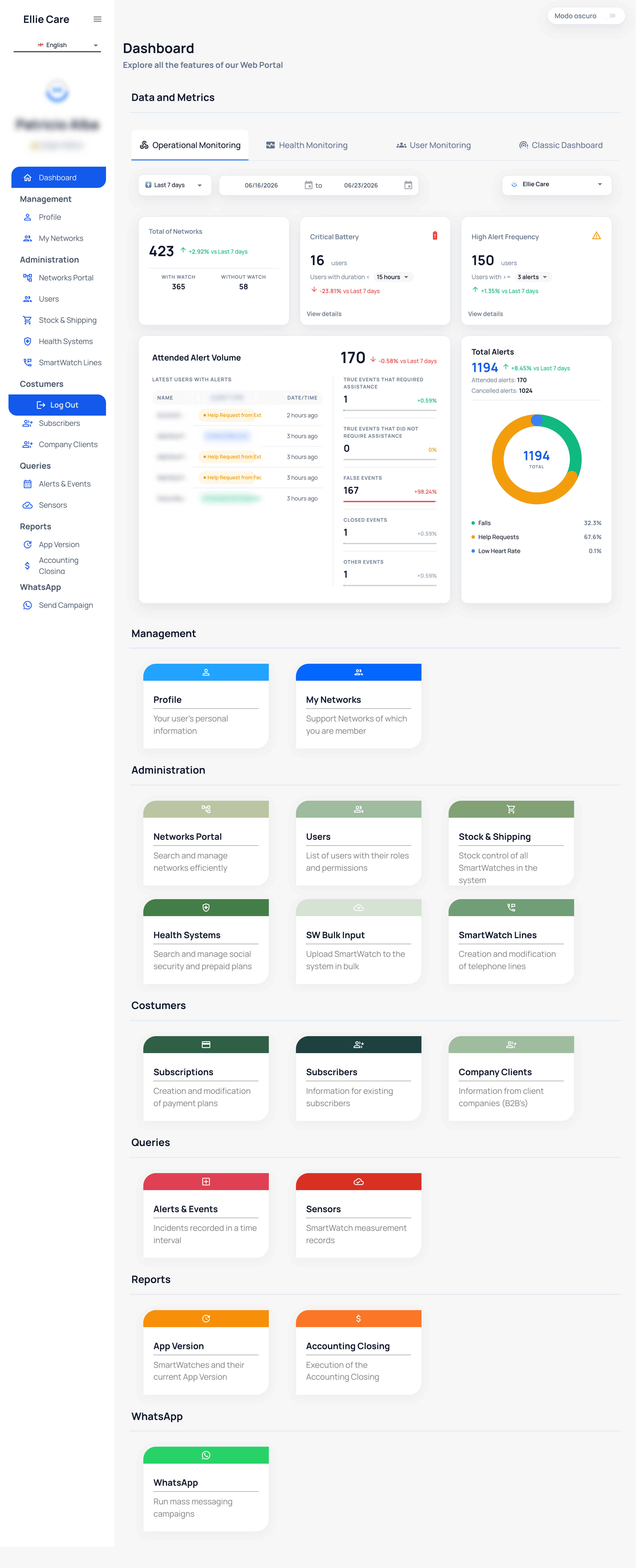
The Company Portal is the web app where you manage your fleet with the mouse: register watches, phone lines, prepare, link to the user, and follow up. It is built for non-technical operators and is self-service: your company runs the whole cycle without depending on support.
Key vocabulary. The user is the person who wears the watch. The pairing code connects a watch to a user. Knox is the device-management setup that makes a watch ready to link.
The Portal speaks your language
Top-left there is a language selector: Castellano / English / Português. Navigation, watch states, and most controls switch language instantly.
Some headers and action buttons (for example, the green buttons to register devices) stay in Spanish even when you pick another language. In those cases, this guide gives you the Spanish label together with its meaning.
A watch's full journey
The operator's whole job is to move the watch through a fixed set of states. Each state change is a step in this guide:
Register  →  Unassigned  →  Prepared (Knox)  →  Linked  →  With end user  →  Delivered
            (just            (ready to           (code      (code entered       (to the
             registered)      link)               issued)    on the watch)       user)
The detail of each step is in Watch enrollment & delivery. If this is your first time, follow the menu order: first you sign in, then you learn the dashboard, then you walk the flow end to end.
Ask instead of search
The Portal includes an assistant you can ask in natural language. It answers about your data ("which watches have low battery?") and about how-to ("how do I register a watch?"), because it reads this same documentation. When a guide is updated, the assistant answers the new version.